补充说明
本文提供 Windows 下一键安装 SSH 终端的批处理脚本,支持 Tabby 和 RSSH 两款终端工具。脚本自动从 GitHub 下载安装包并执行静默安装,适配 Windows 10/11。
一、安装 Tabby 终端
- CMD 下载命令
# 安装 Tabby
cd %USERPROFILE%\Downloads && curl.exe -L -o tabby-1.0.234-setup-x64.exe https://github.com/Eugeny/tabby/releases/download/v1.0.234/tabby-1.0.234-setup-x64.exe && start /wait tabby-1.0.234-setup-x64.exe S

# 打开 Tabby
start "" "C:\Program Files\Tabby\Tabby.exe"
- PowerShell 下载命令
# 安装 Tabby
cd ~\Downloads; curl.exe -L -o tabby-1.0.234-setup-x64.exe https://github.com/Eugeny/tabby/releases/download/v1.0.234/tabby-1.0.234-setup-x64.exe; Start-Process .\tabby-1.0.234-setup-x64.exe -ArgumentList "S" -Wait

# 打开 Tabby
Start-Process "C:\Program Files\Tabby\Tabby.exe"
- 修改为中文
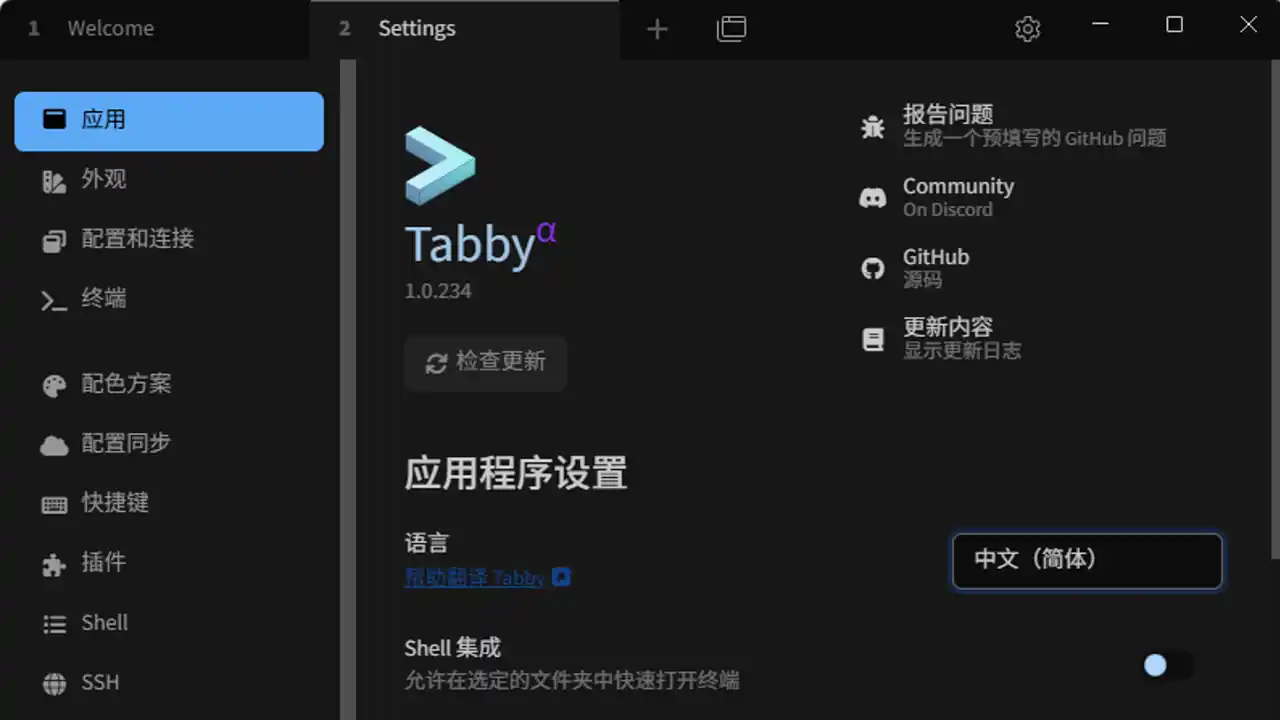
二、安装 RSSH 终端
- CMD 下载命令
# 安装 RSSH
cd %USERPROFILE%\Downloads && curl.exe -L -o rssh-0.2.3-windows-x86_64-setup.exe https://github.com/shihuili1218/rssh/releases/download/v0.2.3/rssh-0.2.3-windows-x86_64-setup.exe && start /wait rssh-0.2.3-windows-x86_64-setup.exe S

# 打开 RSSH
start "" "C:\Users\meimo\AppData\Local\RSSH\rssh.exe"
- PowerShell 下载命令
# 安装 RSSH
cd ~\Downloads; curl.exe -L -o rssh-0.2.3-windows-x86_64-setup.exe https://github.com/shihuili1218/rssh/releases/download/v0.2.3/rssh-0.2.3-windows-x86_64-setup.exe; Start-Process .\rssh-0.2.3-windows-x86_64-setup.exe -ArgumentList "S" -Wait

# 打开 RSSH
Start-Process "C:\Users\meimo\AppData\Local\RSSH\rssh.exe"
添加 SSH 服务器
- 打开 RSSH → 点击 + 号
- 填写服务器信息:
- Name:自定义名称(如
MyServer) - Host:服务器 IP 或域名
- Port:SSH 端口(默认
22) - User:登录用户名
- Auth:选择密码或密钥认证
- Name:自定义名称(如
- 点击 Save 保存
三、功能说明
- 自动下载安装:脚本自动从 GitHub 下载最新安装包,无需手动访问官网
- 静默安装:使用
S参数执行静默安装,不弹出安装向导干扰 - 支持 CMD / PowerShell:同时提供 CMD 和 PowerShell 两种下载命令
- 启动验证:安装完成后自动启动终端软件确认安装成功